I'm an early adopter of 4k60. If you write code and you're not on 4k, you don't know what you're missing. 4k is great.
Back then display port ran at 60fps, and hdmi ran at 30fps. My hardware has changed and moved on, but I still default to using a display port cable. It's rare to not find a graphics card without display port, and it's rare to find a monitor without one, so I've never had a reason to try HDMI. As far as I can tell it's a stubborn format that continue to fight to live on. Frankly, I don't really get why we still have HDMI today.
HDMI exists because the corporations behind the HDMI group are the ones that make most of the TVs and dvd boxes. So by pushing HDMI they get to use it for free while the competitors have to pay extra and are at a disadvantage. Nvidia and AMD are not on the HDMI group which is why on pro and enthusiast hardware displayport is pushed much more. My current gpu has 3 displayport and 1 hdmi.
On the tv side, the benefits of displayport are less important since most users are not watching 4k 144hz content and hdmi is now capable of playing 4k at 60hz. So hdmi is not only pushed by the corporations but is also the most convenient option the users want since all of their other hardware uses hdmi and it works fine.
Honestly I think GPUs should drop the hdmi port entirely and ship with a displayport to hdmi cable which works fine because displayport gpus also support hdmi and dvi over the dp port.
You forgot to mention that besides royalties, the main reason HDMI is used in consumers electronics is that it also streams audio with CEC as apposed to Display Port that only does video.
For most consumers, plugging in just one cable that does everything is a lot more convenient.
Edit: sorry, didn't know DP can also stream audio, my bad
> If you write code and you're not on 4k, you don't know what you're missing.
I really don't. Would anyone care to share their experience? Currently, I'm thinking that a vertical monitor would be an improvement for me, but I don't see a reason to get a screen that's several times denser.
* More characters on screen -> easier to glance between different parts of your code , open manuals, etc.
A 4K screen has 3840x2160 pixels. You could see that as either fitting 4 regular 1080p screens in a rectangular pattern, or just over 3 regular screens in vertical orientation (which is what you were considering).
Of course, if your current HD screen is only barely comfortable to you (likely), you will end up needing to buy a screen with larger dimensions (findable) to actually be able to utilize the screen to that extent.
Alternately, you could still go for that higher pixel density; in which case you end up with more readable characters. This does alleviate eye-strain!
Given enough pixels at your disposal (and a large enough screen), you can have the luxury of determining your own favorite trade-off between pixel density and amount-of-code-on-screen. You can do so on the fly, as tasks/whims/fatigue demand.
This is why -at least for now- I'd say you can never have enough pixels.
I'm sure there's a point of diminishing returns somewhere, but I think we have a long way to go before we reach it.
This assumes that your eyesight is good enough to view that much text density at once. In my experience, I just end up zooming in a lot and upping the font size.
Now, an ultrawide. That was truly a game changer in productivity for me.
For coding I've found the best ultrawide resolution is 3840 x 1600, the extra vertical space is much more impactful than adding more horizontal space (a 38" ultrawide can already do 3 columns very comfortably, adding more doesn't help in my experience)
I always found this argument weird: I've used myopic correction since I was 16, and I can tell you that even 4k at 24" is too low for me: actually, if you turn off subpixel rendering (font smoothing), the fonts still looked jagged.
Now, perhaps people are unwilling to wear glasses or contacts for very small vision distortions (understandable), but I do have poor vision, and I want even higher pixel density, because my glasses/contacts get me great vision (I get headaches if I don't correct to 40/20 or something).
We are reading paper books printed at 600 or 1200 dpi (though that often uses similar tricks to subpixel rendering), and nobody complains. As a matter of fact, people can tell a difference between 300 and 600 dpi, yet books are kept at, at most, an arms distance, so usually closer than most big displays today.
I like to work with two columns of windows and the shortcuts to move and tab windows around are easier/more convenient with one monitor versus two. I can easily swap between all of my open windows and snap the two I need side to side. I also find myself moving my head around less and everything just seems a bit more at hand.
Moving windows around on GNU/Linux is not very smooth between different screens, at least in my experience. I am sure with enough time spent on a configurable WM, it would be great, but no need to do that with an ultrawide.
> Moving windows around on GNU/Linux is not very smooth between different screens, at least in my experience.
Depends on the UI you use. Gnome and tiling window managers should do it just fine. I prefer the macOS keybinds (including where full screen becomes a new desktop, combined with the "Magic Touchpad" gestures).
you mention using macOS keybinds with linux. have you found a way to set everything to macOS keybindings? it's super frustrating to relearn every keyboard shortcut and terminals not supporting it fully
What I meant to say is that UI-wise I prefer macOS with macOS keybindings over anything I tried on Linux. That being said, Gnome is pretty good. I can't get used to KDE, but if I were new to this whole thing (or were coming from Windows), I'd try it, too. Tiling window manager is powerful, but not very necessary on macOS IMO.
With regards to keybindings, one thing you can do is get ctrl/meta/alt in the same order as your Mac. Personally, I've swapped ctrl and meta on my MBP while I am using VirtualBox (with Kali) because that way when I'm in the VM I get local consistency. I usually SSH into the Kali machine from the MBP anyway.
With two 1920x1080 displays you can fit even more (or better 1920x1200).
Also, what is the benefit of an ultrawide 2560x1440 compared to 2560x1440 or 2560x1600?
With UW I can have 3 columns the main thing in the center.
With 2 monitors you have a gap in the center or you have to put the thing on the side and turn your head (neck pain)
They're probably suggesting to get a bigger monitor at the same time. You can have somewhat higher DPI and smoother text, and more real estate.
If you're used to 24" 1080P, going to 32" 4K gets you 1.5x the DPI and 1.77x the screen area. For what's now a $300 monitor, that is a pretty significant improvement overall.
The DPI means my characters go from 9x18 pixels to 13x27, which is a big difference in text rendering fidelity and just feels a little nicer. And the additional screen real estate speaks for itself.
Though if you have the space (a very deep empty desk) to put your display like 6 feet away from your face, then the 32" might be a decent way to reduce eye strain.
They will do for sure since you can run them with 200% scaling. That scaling factor gives you the cleanest fonts. Fractional scaling is not as good.
I’m using a 27" screen with 4K which is ok. But I would definitely upgrade to 5k to get 200% scaling once display standards properly support it (Thunderbolt 3 will not be a permanent solution) and screens are affordable
Thunderbolt is much more than an just a display link. You can think of it as something as PCI Express, plus some USB and displayport compatibility. It can technically support everything, but might require custom drivers. I don't expect it to become a mainstream solution for "just pushing down some pixels from A to B" due to its additional complexity and cost.
I haven't followed USB4 too much. I expect it to again have multiple "levels" like USB had before. And whether some or all of those will be high definition video capable it to be seen. For USB-C video was just a mere alternate mode which switched the meaning of the wires inside the cables to displayport. Doing video over the PCI Express subsystem of thunderbolt is a different story.
TB3 can embed displayport, even 1.4 with latest versions (allowing for 8k video, though if I remember correctly, it was 60Hz using only one of the "fake" techniques like compression or interlacing, not sure exactly which). The hard bit is finding which chipset a particular device uses and if it will do 8k (more recent ones) or not.
If 8k is supported, so is 5k, which is kinda getting mainstream.
USB4 will definitely be high definition video compatible, that much we know.
From reading this[0] it looks like USB4 and TB3 will be broadly compatible, modulo the usual sort of tiresome licensing and compatibility BS our industry loves to burden us with. Pity.
I also went with a good 27" instead of a cheap 32", but mine is 200% scaling. I figure this will become a secondary monitor I can use for a very long time.
I'll buy a 32" with no bezel when I can get it with a Thunderbolt 4 port, and my desk will be right about maxed out.
I'm already using a 30" monitor; there aren't a lot of 4k monitors >30" that aren't full TVs (50-60"). Going to 4k at 30" just increases my DPI with no increase in area, and I'm already not using tiny fonts; more DPI isn't what I want. I'd really like 4k at 40" or so: that still bumps me from 100 DPI to 110 DPI, but I get a lot more usable screen real estate. Unfortunately, the market for monitors over 30" is tiny / costly.
There's several, just search. $300 is about the cheapest you'll find a 32" 4k though, don't expect much and it'll certainly be a TN panel with a slower refresh.
I've been using this one. (Typing on it right now) Has a display port I wire my mac into when coding for work and run a Linux box on it when I'm playing. It is a nice panel, for what I paid. 32" @ 2650x1440 IPS. I've got it next to an older 30" 16:10 (2650x1600) and it is comparable.
I do wish I could get my hands on cheap 16:10 monitors. My old 24" dell is vertical, which really makes for a nice way to view the web.
My LG is a little over 4 years old (an LG 27MU67, sadly no longer produced), and the only complaint I have with it is that the capacitive buttons are difficult to use by feel. If I could get another monitor that's exactly the same, I'd do it in an instant.
I have a similar LG 27UD68. The game changer for me was taking off the anti glare coating. It's amazing the relief from eye strain that I got once it came off.
I've bought a million of the Dell P series 4k monitors for my office in various sizes, they range from 200-500 bucks or so depending on the size. Even less used or floor model. I have a few dozen and they've pretty much been bulletproof.
Not at all my experience. Honestly, wayland has been an incredibly sharp improvement over x for me.
Arch running Gnome on Wayland just freaking works. Input is miles better. Output is miles better.
I run two 4k displays and the internal display is 1920x1080. Even dragging windows between the external and internal monitor, with different scaling factors works SO much better.
That's odd. Maybe it's your hardware or your setup or something.
I'm on Linux, and as long as I have screen composition on in the NVidia Settings Panel and software vsync off, 4k60 is as smooth as butter and as sharp as 4k, much like OSX. It's nicer than Windows.
Thank you for that tip. I had a lot of screen tearing before I enabled that option.
Do you have "Force Full Comoposition Pipeline" enabled or just "Force Composition Pipeline"?
Which distro./desktop environment are you using?
I'm running a dual screen setup (laptop + 4k screen over DP) with fractional scaling on the laptop screen (150%). This works pretty well in Fedora 31, no blurred text.
AFAIK different scaling parameters on different screens are not supported by Xorg, so I'm pretty happy with Wayland.
Kde Plasma Wayland with fractional scaling set to 125%. My workhorse applications are Libreoffice, Firefox and Thunderbird.
Each and every of these applications is blurry as hell. My eyes hurt. True that the multi-monitor experience with mixed scaling factors per display under Wayland is better, that's why I am still suffering of that stockholm syndrom.
Gnome does better, I acknowledge that, but their opinionated UI decisions make me feel like a retard.
That's because those applications use XWayland, which means Wayland scaling has no effect and it scales the pixmaps instead. Try export GDK_BACKEND=wayland.
I played with Wayland and decided it is not for me.
I'm running 3x 28" 4k@60 driven from nVidia using prop driver with an Openbox at the Window manager. It is working great. Super fast, super snappy, fonts look fantastic. Same goes for video. I have one monitor dedicated to code, one monitor monitor dedicated to logs ( 6-10 tmux windows ) and one monitor used as a general workspace.
There's an i9 8-core model (on the 15.6 inch model). That's the one I got. I agree that the 16 GB max is disappointing. No problems with touchpad, though I'm used to Windows laptops (I don't use Macs)
Can't speak to 4K but I recently switched to 3 2K monitors (2 vertical on either side of a horizontal monitor). And I quite like the vertical monitors (My setup resembles a tie-fighter) even though I had resisted trying them for over a decade now.
I still have 1 1080p screen attached (just for NVR viewing) and if I drag my IDEA (code editor) window from a vertical monitor to my 1080 then it takes up over 3/4ths of the width. Just to restate that a different way: I gave up less than 1/4th of my screen width but got ~3x the height (just for the 2 vertical screens).
My current setup looks like this with 1 & 3 being vertical, 2 being horizontal, and 4 being my old 1080p horizontal.
    |   | | 4 | |   |
    | 1 ||  2  || 3 |
    |   |       |   |
I have my 2 vertical monitors divided into 3rds (top, middle, bottom) and have keyboard shortcuts to move windows between each region (coupled with a shortcut to move/resize all windows to their predefined default locations). My code is always on monitor 3 taking up the bottom 2/3rds (I find that using the whole height requires too much head/eye movement). I like to use the top 3rd of both vertical monitors for things like chat/reference.
I rather wish we would rid ourselves of ambiguous terms and instead just state a specific resolution. 2K and 1440p and 4K could each mean any of numerous different resolutions.
For my aging eyes, 4K 32” is the sweet spot. They’re cheap too (you can get one for $380.)
I don’t use the full screen for editing (it’s too wide for that), but the edit window is in the middle and stuff that happens in the background (compiling etc.) sits in the virtual background, showing up in the border around the wait window. So I see immediately when things have stopped scrolling.
After using this configuration at work, I upgraded all my home setups as well.
The controller for this one isn't the best and is picky about inputs (I can't get the original Apple HDMI adaptor to work well even at 30hz, so use DisplayPort instead), but it does well enough for the price.
I use 1:1 pixel ratio and a tiling manager to manage the screen 720p subdivisions (3x3 = 9 of these) and will have editors or documentation arranged vertically in 2-3 of these subdivisions, terminals in individual subdivisions, and screen shares or video in 2x2 spaces (1440p) depending on what I'm up to. I have configured hotkeys which place windows in predefined positions in the grid and gotten pretty quick with the muscle memory of them. I aggressively organize windows into spaces, and use the Apple track pad + gestures to move spaces, this acts as a stack of second monitors that I don't have to move my head to see (but can change attention to with similar speed).
32" at arms length seems to be just right in terms of not feeling like I have to turn my head to change my area of attention, and the pixel density isn't too hard on my eyes without any scaling, but both of these are just on the edge (I wish I had slightly larger UI elements, and slightly less FOV occupied) but with these being at direct odds with each other, this device (and a more expensive one with the same resolution and dimensions I purchased for home use before this one at this price point was released) occupies a sweet spot (for me personally).
I'm using a 55" 4K TV for my coding at home. It's wonderful that I always have enough space to put all my windows (using Win 10).
The other benefit is that I can sit farther away from the screen (I make the font larger to compensate). Feels like it's better for the eyes not to have to focus up-close.
I'm on Windows. The TV is a low-end $400 TCL, but it's good enough for me. The text isn't as crisp as it would be with a smaller screen size, but I don't mind. And if I make the font larger, it's smoother (more pixels per character).
Back in the early 90's I had a "Sony News" newspaper layout monitor with hardware that displayed a full 2-page newspaper spread at 16 grey-levels. I got addicted and mourned the loss of viewing giant amounts of source code and terminal/app windows.
When 4K came out, my dream returned. I'm currently working with four 4K monitors, no scaling, that is also Input Director linked to a second system with two more unscaled 4K monitors, but those are portrait (tall). I'm in heaven, again.
43in 4k monitor (Philips BDM4350UC). Not a particularly high dpi but LOTS of screen real estate, and not very expensive. You can have two documents open side by side plus stackoverflow and the rendering of your website. But it requires 60Hz, because otherwise moving the mouse over such a large surface feels laggy and uncomfortable.
It has been several years since I wrote "4K is for Programmers" [1], and in time since we've migrated to 4K 60 Hz LG panels using DisplayPort. But the upsides of a large 4K for programming remain the same today.
I bought a 4K monitor a few years ago. It's beautiful when displaying 4K, but I'm still waiting for Linux to catch up. I used in on a desktop and that worked mostly ok, but on a laptop with different scalings on the internal and external monitors it is hopeless. I'm not even trying to use both monitors at once, I just want Firefox to be scaled from 2x to 1x when I disconnect the external monitor (and vice versa).
I recently bought a new monitor for my office and explicitly avoided a 4K monitor for this reason, it turns out there aren't that many 27" 1440p monitors nowadays. I ended up getting a Lenovo P27h (comes with USB-C) and it works great.
For someone who knows nothing about Steam, can you say more about what the hardware survey means? If it doesn't indicate resolutions in actual use, what does it indicate?
Stats from Steam, Since Steam Is for Gamers only, you are only looking at Gamer focused survey, then of coz you get results where 70% of PC has dedicated GPU.
I have the best part of a decades experience with this. Until recently I was running 3 4K displays on my desktop.
The real issue is with DEs and not Linux per-se. Gnome handles 4K (Hi-DPI) better than most other DEs I've tried but it's still pretty horrid with Hi-DPI and non Hi-DPI displays mixed.
My rule of thumb has been to try keep all displays at the same resolution. For desktop that's easy, for laptop; buy a laptop that's 4K (not always cost/battery effective), or turn off its display when using external (loss of screen real estate) or change the external monitor to 1080p (not ideal, loss of resolution).
I'm always confused by those statements, that it's rare to find a monitor without DP.
I live in France, and actually HDMI is the norm here. All low-range and mid-range screens are HDMI only, and it's rare to find a DP actually.
It's especially sad when you wants to use freesync on Linux, as mesa (the gpu driver) added support in 2018 for DP, but it's still not usable over HDMI.
My impression in Germany and the US was that cheap monitors and TVs come with HDMI, but not necessarily displayport. Anything higher priced or aimed at design, graphics, office work comes with display port and (often also) hdmi.
For example all dell ultrasharp models, hp z27, samsung's uhd monitors, all 4k LG ones.
In addition there are now several monitors offering usb-c connection for video+power+usb hub functionality (e.g. see the wirecutter recommended 4k monitors), which seems convenient.
I don't know about 4k60Hz screens actually. I'm not sure they are in the low/mid range price point (yet) ? I was responding more generally about HDMI and it's usefulness.
IIRC, Freesync will only ever work over DP because it relies on features that the HDMI protocol doesn't/won't ever have.
Also, it's very interesting that things are so different in France with regard to display cables. I would've assumed that, since it's mostly the same manufacturers making everything around the world, they'd have more or less standard models across regions.
The DVI and HDMI protocols doesn’t need anything specific to support variable refresh rate: nothing prevents one to just extend the vertical front porch time.
It’s just a question whether or not the GPU can generate that kind of signal and whether the monitor scaler chip is willing to deal with it.
I do use OSX, but I'm also on Linux Mint. Both are sharp and smooth as butter. I'm uncertain why your experience has been what it has with Linux. Could be drivers or something. I did have to set Mint to work for 4k60. It did not work out of the box properly. (HiDPI was off. Hardware vsync was off.) Mint has never had sub pixel rendering as far as I know. It looks crisp and great.
I think you misunderstand me. I am saying that on Linux text at normal PPI is pretty much as good (to me) as text at high PPI because it has sub pixel rendering and strong hinting that Mac OS X lacks,
OSX has had sub pixel rendering disabled by default since Mojave. It also never had the strong hinting that you can find on Linux and Windows which makes text significantly sharper at the cost of differing from the shape as specified by the font.
They were paying to license Microsoft’s ClearType patents and decided not to pay anymore once retina displays had become near standard for lost Macs and subpixel rendering was no longer necessary
If true, it's a pity they were paying. Apple's SPR goes back to the Woz days, whereas ClearType didn't come around until XP, and wasn't a default until Vista.
Also, apple has a tendency to support fancy features ONLY on its own hardware. I know apple retina displays allowed display scaling, but non-apple displays only let you set the absolute display resolution.
You generally have to use the right equipment -- using mini displayport or thunderbolt 3 instead of HDMI, depending on the generation. It's definitely finicky (much like getting guaranteed 4k60 output, especially through a dock)
One is 163ppi and the other is 218ppi, that’s a huge difference. Anyways, it isn’t that bad if you just buy an entire iMac 5k. But ya, the LG standalone is pricey.
I've found that on cheap laptops it helps to set the refresh to 40Hz in the name of stability- it makes the recover from suspend process more reliable for some reason.
I haven't used 40Hz so I can't speak for it but at 30Hz even my typing is slower, let alone mouse movement, which feels like it's pulling on a short string.
60Hz is a good sweet spot, but as people say 120Hz is noticeably better. At least at 60Hz I can type at full speed, scroll at full speed, and my mouse accuracy when clicking on buttons is good enough.
Honestly, at 30Hz you can feel the input lag. It always feels like the mouse is a little behind, and the key you pressed isn't quite there yet. It's only 33ms, but you can definitely see it.
60Hz is quite usable but if you are used to 120 or 144Hz you will notice it immediately.
Now you've got me curious. I've been playing with various Bluetooth and 2.4GHz-proprietary-wireless mice, along with a cheapie wired one, and never noticed much difference. But it's always been at the same refresh rate.
It gives a ridiculously large amount of screen real estate, though.
For example, on one of those, one can have a side-by-side diff with 120+ character lines and still have half of the screen width remaining for documentation or terminals.
It feels like too much screen for me, I’m happy with a single 5K 27”. I could never get used to the unfocus or having multiple things on multiple screens all at once.
4k@43" is close to PPI of "standard" 1440p@27" or 1080p@22". Considering that the viewing distance probably is bit longer, it sounds pretty appropriate for 100% scaling
You're not reaping the benefits of high pixel density at that size. It's a shame 5K 27" monitors aren't more prevalent. That perfect 2x pixel density increase from 1440p is incredibly sharp.
Writing code on 27” 5k with 2x scaling is incredible. It’s the sweet spot of sharpness to screen real estate and I agree that manufacturers should focus more on this format.
It's not that I don't acknowledge that it's better it just doesn't seem worth it unless specifically buying the 5k iMac. TB3 as a display standard + costs double what a 4k monitor does + lack of guarantee of long term vendor support for either TB3 as an input or 5k.
I also think there are just such economies of scale around 4k as well.
The problem with that resolution is that neither hdmi 2.0 nor the equivalent DisplayPort revision supports it. Therefore it is currently a thunderbolt 3 only thing - which has its own set of issues.
I’m looking forward to see more 5k+ screens once those standards evolve
I heard this advice somewhere, and I invested nearly $1k in 2 4k monitors and required hardware to run them at 60hz. It was a terrible experience, and I ended up selling them at a loss and going back to 2 1920x1200 monitors (love 16:10).
Two main issues for me: I run Linux (4k support is simply _not_ there) and the input lag was very distracting. I tried a couple different 4k monitors, HP Z27 and LG 27UK850-W, and while the LG was slightly better, after a couple months I just couldn't bear it any longer.
I'm a full-time dev writing code mostly in Jetbrains IDEs. Hope this can spare somebody else the cost of trying 4k.
In 2015 I had 2 4k60 monitors, and as long as I setup screen composition in the nvidia settings, everything was as smooth as silk and as sharp as a magazine in Linux, and still is.
In 2015 I was in CLion day in and day out and my gpu was only a laptop gpu with 2gb of vram, so it definitely maxed out my gpu then, but still was as smooth as butter. I had to worry about my computer heating up at the time.
Today I'm on a desktop with a 980. I'm sure it's inefficient, but doing anything in the desktop, like watching youtube in 4k60fps uses about 15% of the gpu according to nvidia-smi. With all my apps running, when I'm not training neural networks, my desktop + firefox takes between 1gb and 1.5gb of vram.
I run two HP Z32 4k monitors side by side in portrait mode. Running Debian Linux Buster. Connected to NUC8i7hvk. LXDE, sometimes KDE. Text is clear. Moving windows around is smooth as silk.
27" would be too small. 30" is about the right size for the resolution.
Plus I have five or six virtual desktops to task switch between various development projects.
I run Linux as well;
Went from 1920x1200 (the fabulous 16:10 ratio) to 2560x1440 (16:9) and would never go back down. I'm using a triple display setup with 1440p, and they operate at 75Hz no problem (no input/output lag). Coding no problem, multi-task no problem, everything is just peachy. I suspect the jump up to 4k is just symptomatic of crossing the boundary of acceptable image scale. Apparently 1440 approaches the boundary, but 4K is well beyond. My GPU is not very fabulous, and in fact is the limited GPU available with an Intel NUC (Hades Canyon), but the connector to the display is using DisplayPort, and that I believe is the point the OP is trying to make with the Opinion Piece. I find this conclusion troubling because DP is a few thing: a cable standard (shielding, twists of pairs, etc), a differential signaling protocol, and the features layered on top. A lot of people conflate one aspect with the other, which quickly becomes problematic. For example, the DP protocol was incorporated into thunderbolt 3, so the high level stuff mostly, protocol, etc. The thunderbolt 3 cabling sufficiently meets the standard for the cable standard parts (shielding, isolation, etc). I guess where i'm going with this is that HDMI is slightly more problematic here, especially in terms of the matrices of cable standards versus protocol standards, and the consumer buying the cable or understanding what protocol they need, etc... HDMI made the mistake of introducing a kind of "high speed cable" in the HDMI 1.x protocol era, rather than simply jumping to HDMI 2.x, that is to say NOT aligning major spec jumps to to physical cable requirements, but instead to protocol features. It's probably not a fair comparison with DP and HDMI, since DP sorta didn't have the issue, but it becomes apparent that the future generations of DP cable bring physical cable requirements with the next major version bump, protocol topics are there too but we can get to those later. So for example, DP being in Thunderbolt 3, and now Thunderbolt 4 being drafted, and and.. the combination of Thunderbolt 4 with USB 4... which is capable of transporting HDMI 2.x spec protocols. Ugh... So it seems the physical cable specs of video cables is coming to an end, except for high-end video products (e.g. 8K and beyond). In the general purpose (4K and less) sense there will be one cable for both HDMI and DP (where DP is the default protocol). So all that said, I don't really see HDMI the protocol being a problem, but certainly HDMI cables and interfaces are a problem, perhaps not so big a problem considering most modern cables meet or exceed the requirements. But there are outliers, and there is the problem.
For machines that don't need to mix scaling this is pretty much a solved problem - I've run Windows at 125%, Linux/Cinnamon at 150% and OS X at ~150% and they've all preformed just fine for coding tasks.
The only mess is if you have mixed displays - and even that is mostly still problem only on Linux.
It works with non-Apple displays (I use a Dell 4K monitor with my Mac Mini), but the OS has to be able to detect that the pixel density is suitable. It’s possible that macOS can’t discern enough about your monitor.
If you option-click on the resolution options you may be able to manually override it.
Careful with that setting. Any non-integer scaling like 1.5x will force macOS to render everything in 5K (I think?) and scale it down to the target resolution - this is way more taxing on GPU, battery life etc. than 2x scaling which simply display all content twice as large (everything is delivered with 2x assets after all).
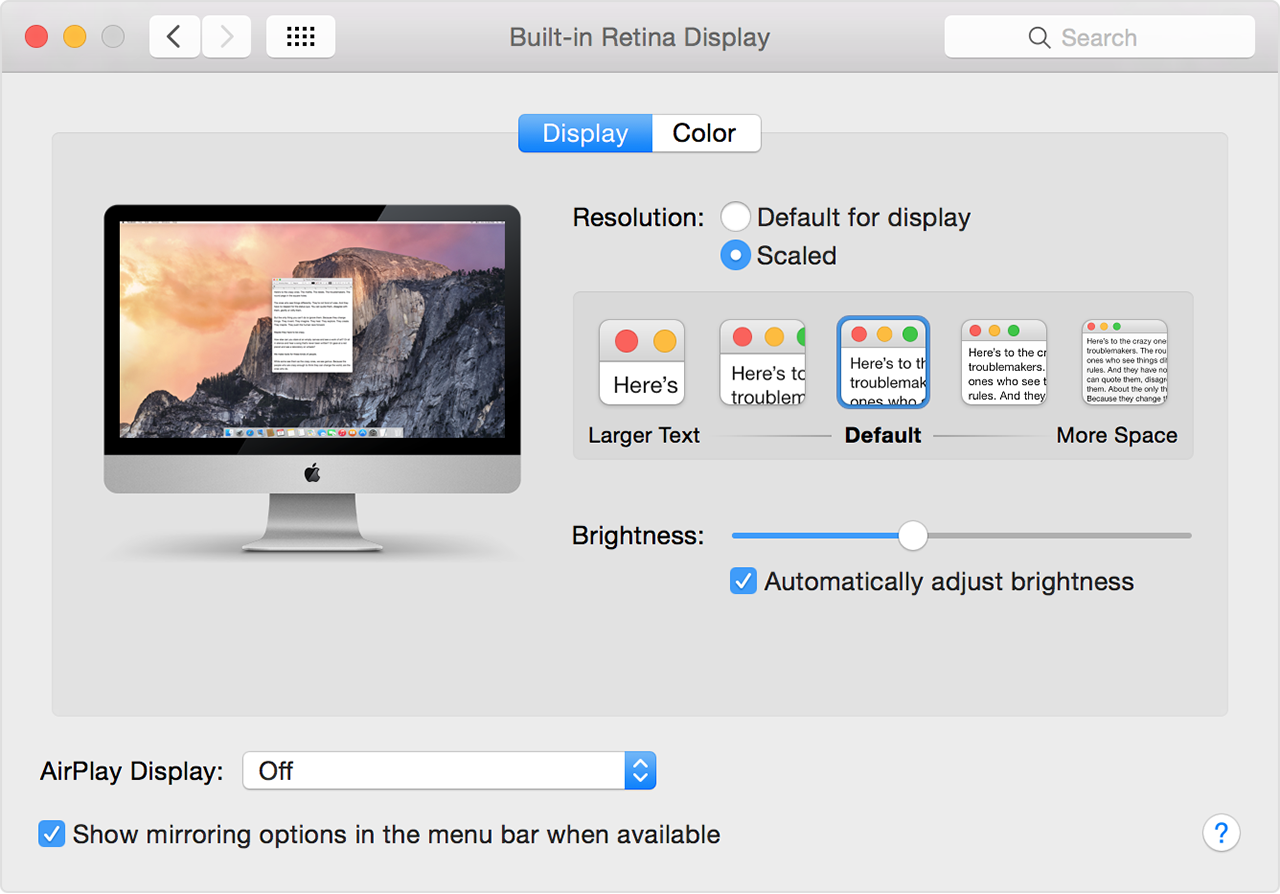
I actually don't use HiDPI on my 4k 27" monitor. Instead in Accessibility Settings I turn on Large Text (Linux Mint), which is like 1.5x or 2.x font sizes. All icons I can see quite well as they grow too, but whitespace is minimized, so I get a lot more screen real estate and it would fool others. It looks like HiDPI.
The only problem with this approach is the mouse cursor stays tiny, and it doesn't have the OSX shake option to find it, though I rarely lose it so it isn't much of a problem.
I will warn that 4K60 actually has hardware requirements. 4K Netflix requires 3gb dedicated/shared VRAM and really 4gb doesn't hurt. No modern GPUs that I know if will stay in P0 with enough 4K displays attached to them. 4x 4K is also a limit most of the time.
1440p monitors are usually better at the same price point in some way. Maybe refresh rates... Maybe image quality... Well specced 4k displays still cost a decent amount.
Still I would say now is a decent type to leap into the ecosystem. The era of 1080p/1440p has already peaked.
> I'm an early adopter of 4k60. If you write code and you're not on 4k, you don't know what you're missing. 4k is great.
4K adds a lot of screen-estate. Having a "normal" 27" 4k screen, I recently worked on a ultra-wide curved screen. It blew me away. I can so much recommend curved screens over regular 4k screens. All you applications can fit next to each other on eye height.
This is a very... erm... "early PC era" way of thinking.
Back in the days, many moons ago, both displays and software typically had a fixed DPI (96 for Windows) and so a larger resolution was basically the same thing as a larger display. The two were interchangeable.
In the photography and print world (and everywhere else) the resolution is just the "level of detail" or "sharpness", completely independent of the size.
With Windows 10, Windows Server 2016, and recent-ish OSX the display resolution is finally decoupled from the display size. This is especially true at nice even resolutions such as precisely double or triple the legacy 96 DPI (200% or 300% scaling).
I've been using 4K monitors for over a decade, basically since they've been available and it always cracks me up to see some people run them at "100%" scaling with miniscule text. That's not the point. The point is that at 200% scaling text looks razor sharp, but is exactly the same size as it would be at 1920x1080.. You can clearly distinguish fonts that look virtually identical at 1920x1080. It's amazing, you have to try it yourself.
Caveat: If you need (or nearly need) prescription glasses, 4K or higher resolutions may not make much of a difference for you. In this case, you're likely better off having a bigger screen and/or a very big screen further away from you.
Windows has had some PPI scaling at least since the XP days, and it always has been pain in the ass. Sure, with integer scaling it should work pretty well, but it is the biggest thing holding me back. And especially as I also use Linux on the desktop which is not much better.
windows scaling is totally fine. its not perfect, but it works a better than people give it credit. i have yet to experience a program that's giving me issues.
the only caveat is that it doesn't work properly if a program is on two monitors which have a different scaling factor (i.e. the scaling from one monitor is applied for the whole program)
That whole reasoning seems suspect to me, honestly. "I want 4x as many pixels so that every pixel can be scaled up to 4 pixels!". Sure font rendering can take advantage of that, but is the difference significant? To my eyes, no, not really.
> I'm an early adopter of 4k60. If you write code and you're not on 4k, you don't know what you're missing. 4k is great.
Important caveat: the display needs to actually be big enough for this to matter. I've got the 4k Dell XPS 13, but I run at a lower resolution, since I simply cannot perceive any difference.
I have tried hdmi 2.0 and Displayport from a 32” lg 4K to an Ubuntu 18.04 box with a 1050ti, both seem to work in Linux and windows 10. Displayport to usbc also works at 4kp60 for my MacBook. This was tested with a cheapo monoprice cable and a LG cable.
Edit: code & text is 100% better on a 4K moknitor with proper scaling.
I have a large 4K monitor when I'm my desk in the office, a smaller 1920x440 at home, and just the (Retina) laptop screen when I'm elsewhere.
My sense is that the 4K monitor is a bit nicer than the 1920x440, but nowhere near enough nicer for me to have ever felt motivated to replace the 10 year old monitor I already have at home. The real difference is between 2 monitors vs just the one.
I also briefly had a 15" laptop with a 4K monitor, and UGH NO CRANK THAT RESOLUTION DOWN RIGHT NOW. My take-away: Ignore the marketing fluff that focuses overmuch on resolutions; the resolution is not an end in and of itself. Pick a screen size, and then pick a resolution that gives you an appropriate DPI for that size.
Don't ever turn the resolution on a 4k monitor down, unless it's for performance reasons (e.g. gaming). Every OS has UI scaling built-in now. It works perfectly in Windows 10 and MacOS. It works pretty well in Linux, but given the mess that is Linux UI toolkits, not all applications will scale properly. Everything I use regularly looks fine, even in experimental non-standard scaling like 175%.
Running a 4k monitor at 1920x1080 looks like crap. Running a 4k monitor with 200% UI scaling gets you the same dimensions but glorious smooth fonts.
> Don't ever turn the resolution on a 4k monitor down, unless it's for performance reasons (e.g. gaming). Every OS has UI scaling built-in now.
So, I have a game I want to run hitting the following properties:
- The game should only render 1920x1080. This keeps fps around 30.
- The game should cover my whole screen.
- Running the game should not resize all my other open windows.
All of these seem like stupid-obvious goals, but there doesn't seem to be a way to get them all. The game itself offers fullscreen (which automatically resizes my other open windows, when the game resolution is lower than the desktop resolution -- I don't understand this ridiculous anti-feature, but it doesn't seem to be configurable), and windowed mode where the window occupies a range of pixels equal to the game resolution (which is a really small window, and really hurts enjoyment of the game). I've tried sending win32 messages [well, SetWindowLong; I think "messages" are something different] to a 1920x1080 game window to expand its rectangle, but the game just starts rendering higher-resolution images for the bigger window -- even though it's configured for 1920x1080 -- dropping the frame rate.
Are you saying there's a way for me to scale this window to get the behavior I want? (Render a 1920x1080 image, then paint it over the 3840x2160 desktop.) What is it?
If the game offers "borderless fullscreen" or "fullscreen windowed" then that's what you want. There are 3rd party utilities that can force it for games lacking the option, but I can't speak to how well they work.
Right, that's what I tried to do, but the game renders an image by referring to the window size rather than the graphics settings. (Or at least, when I force the window into borderless fullscreen, fps drops to the same rate at which it normally renders 3840x2160.)
Maybe enabling GPU scaling in conjunction with the game's regular fullscreen mode set to 1920x1080 might do the trick?
In that case, instead of physically changing your monitor's resolution when entering (true) fullscreen mode, the GPU should simply rescale the game output as required to match your regular resolution.
Some mix of the above. It's probably been a good half decade since I actually looked at the resolution setting for that monitor, and I'm definitely getting into the years where brains will fart.
An appropriate DPI is at least 300 at laptop distances which is the point when you start to not need subpixel antialiasing and font hinting which sacrifices letter shape for sharpness.


Back then display port ran at 60fps, and hdmi ran at 30fps. My hardware has changed and moved on, but I still default to using a display port cable. It's rare to not find a graphics card without display port, and it's rare to find a monitor without one, so I've never had a reason to try HDMI. As far as I can tell it's a stubborn format that continue to fight to live on. Frankly, I don't really get why we still have HDMI today.